
Sylius
Sylius is a modern, headless e-commerce platform based on Symfony. Tpay offers a plugin-type integration, enabling flexible implementation of payments in tailor-made projects. The solution supports API-first development and the most popular payment methods such as BLIK, cards, online transfers, e-wallets, as well as installment and deferred payments.

Before you start
Requirements:
A store operating on the Sylius platform.
A store with the Polish Zloty (PLN) currency set.
An active account at Tpay.
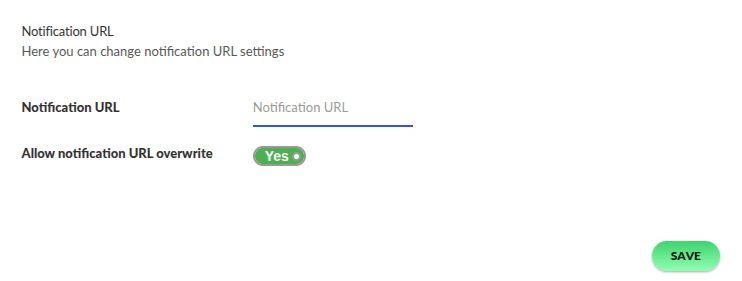
To correctly receive transaction status notifications, it is necessary to allow overriding the notification URL. In the Merchant Panel, go to the menu Settings → Notifications → in the Notification URL section, enable the option: Allow overriding the notification URL.
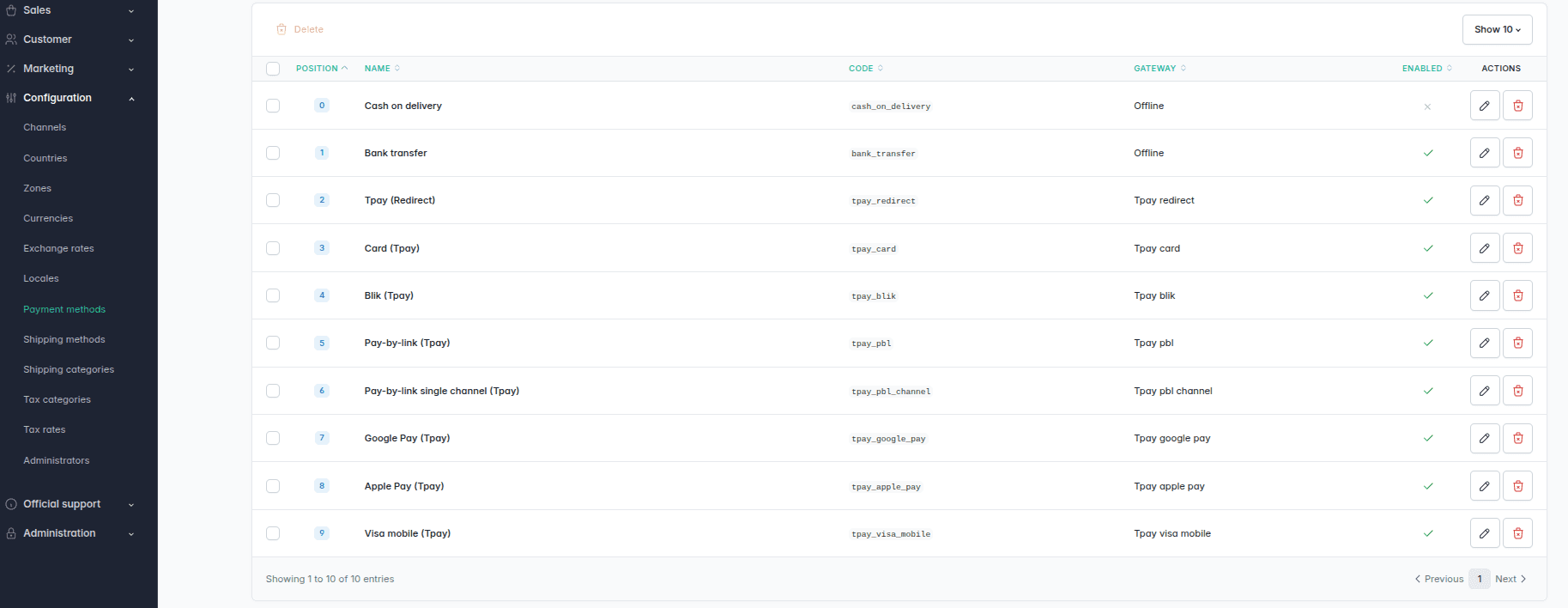
Redirection to Tpay
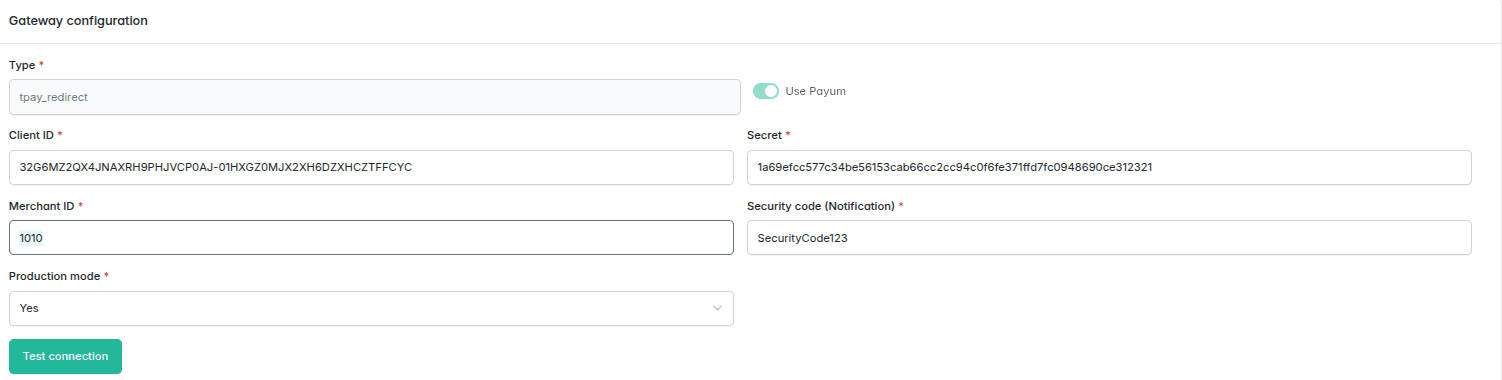
Redirects the customer to the Tpay Transaction Panel, where a full list of payment methods provided by the merchant is presented.
| Configuration field | Field description |
|---|---|
Client ID | Available in the Tpay Merchant Panel under the Integration → API → Keys for new Open API section in the Client ID field. |
Secret | Available in the Tpay Merchant Panel under the Integration → API → Keys for new Open API section in the Secret field. |
Merchant ID | The Merchant's identification number. In other words, the ID number for logging into the Tpay Merchant Panel. |
Security code | Security code, available in the Tpay Merchant Panel under the Settings → Notifications → Security section. |
Production mode | Selection of the environment in which Tpay will operate. For Sandbox environment integration, use data from the Sandbox account. |
Test connection | Verification of the correctness of the configuration data. |
Card
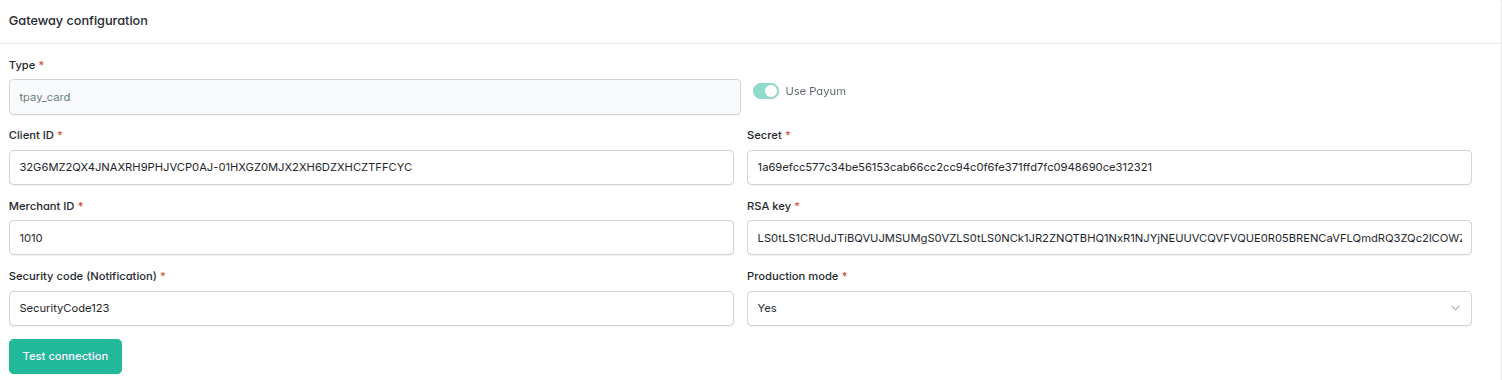
Accepting card payments directly on the store's page using an integrated form, without the need to go to external services.
| Configuration field | Field description |
|---|---|
Client ID | Available in the Tpay Merchant Panel under the Integration → API → Keys for new Open API section in the Client ID field. |
Secret | Available in the Tpay Merchant Panel under the Integration → API → Keys for new Open API section in the Secret field. |
RSA Key | RSA key, available in the Tpay Merchant Panel in the Card payments → API → section Public RSA key for Elavon acquirer (visible after enabling the securesale method), whereas for the Pekao acquirer, the key is located in the Integration → API tab. |
Merchant ID | The Merchant's identification number. In other words, the ID number for logging into the Tpay Merchant Panel. |
Security code | Security code, available in the Tpay Merchant Panel under the Settings → Notifications → Security section. |
Production mode | Selection of the environment in which Tpay will operate. For Sandbox environment integration, use data from the Sandbox account. |
Test connection | Verification of the correctness of the configuration data. |
BLIK
Implementation of a form that allows the customer to enter a BLIK code and finalize the payment on the store's page.
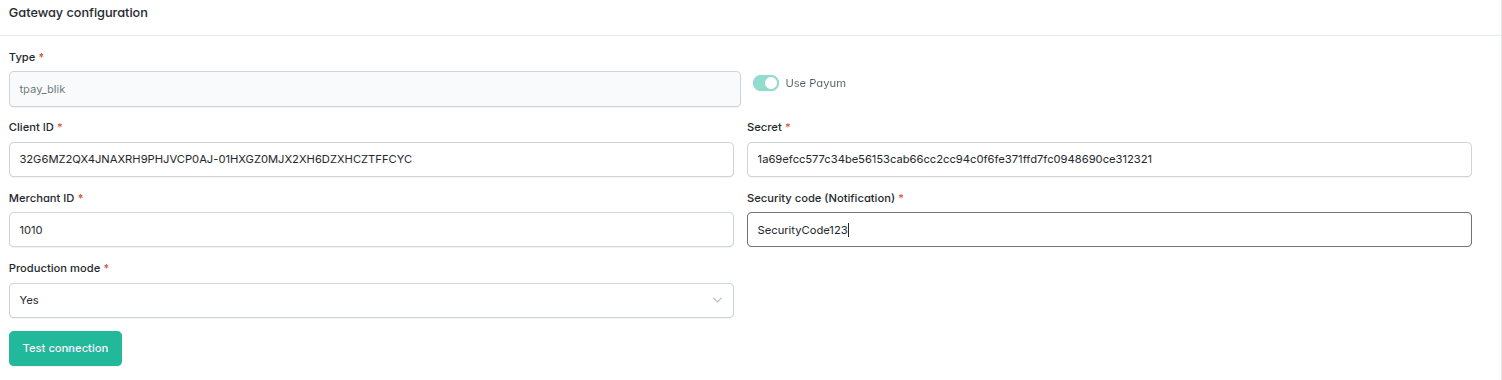
| Configuration field | Field description |
|---|---|
Client ID | Available in the Tpay Merchant Panel under the Integration → API → Keys for new Open API section in the Client ID field. |
Secret | Available in the Tpay Merchant Panel under the Integration → API → Keys for new Open API section in the Secret field. |
Merchant ID | The Merchant's identification number. In other words, the ID number for logging into the Tpay Merchant Panel. |
Security code | Security code, available in the Tpay Merchant Panel under the Settings → Notifications → Security section. |
Production mode | Selection of the environment in which Tpay will operate. For Sandbox environment integration, use data from the Sandbox account. |
Test connection | Verification of the correctness of the configuration data. |
Bank redirection
Presents a list of all available payment channels on the store's page, and after the customer makes a choice, they are redirected directly to the banking service, bypassing the Tpay Panel.
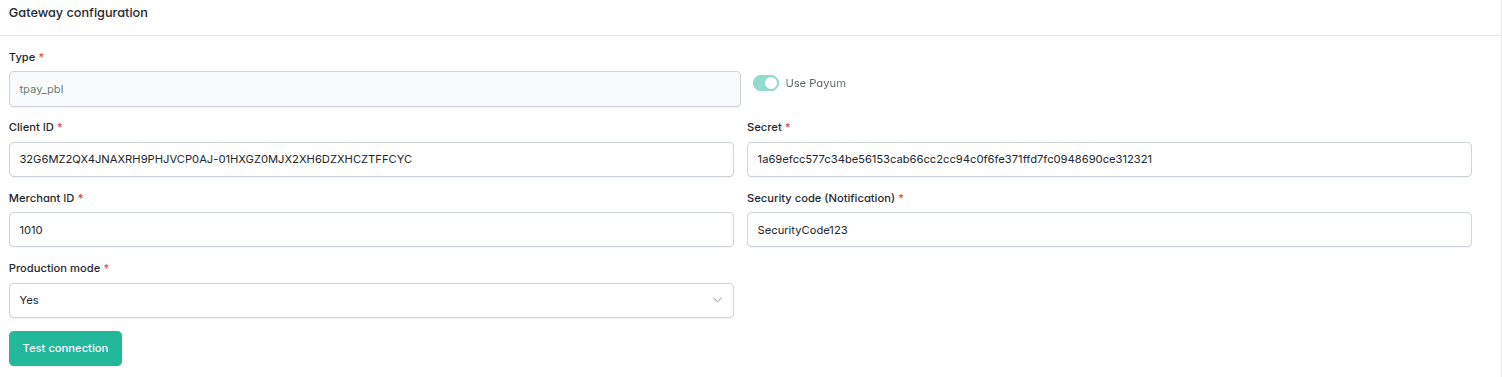
| Configuration field | Field description |
|---|---|
Client ID | Available in the Tpay Merchant Panel under the Integration → API → Keys for new Open API section in the Client ID field. |
Secret | Available in the Tpay Merchant Panel under the Integration → API → Keys for new Open API section in the Secret field. |
Merchant ID | The Merchant's identification number. In other words, the ID number for logging into the Tpay Merchant Panel. |
Security code | Security code, available in the Tpay Merchant Panel under the Settings → Notifications → Security section. |
Production mode | Selection of the environment in which Tpay will operate. For Sandbox environment integration, use data from the Sandbox account. |
Test connection | Verification of the correctness of the configuration data. |
Redirection to a payment channel
Displays only one specific payment method on the store's page (e.g., a transfer for a specific bank), which redirects the customer directly, bypassing the Tpay Transaction Panel.
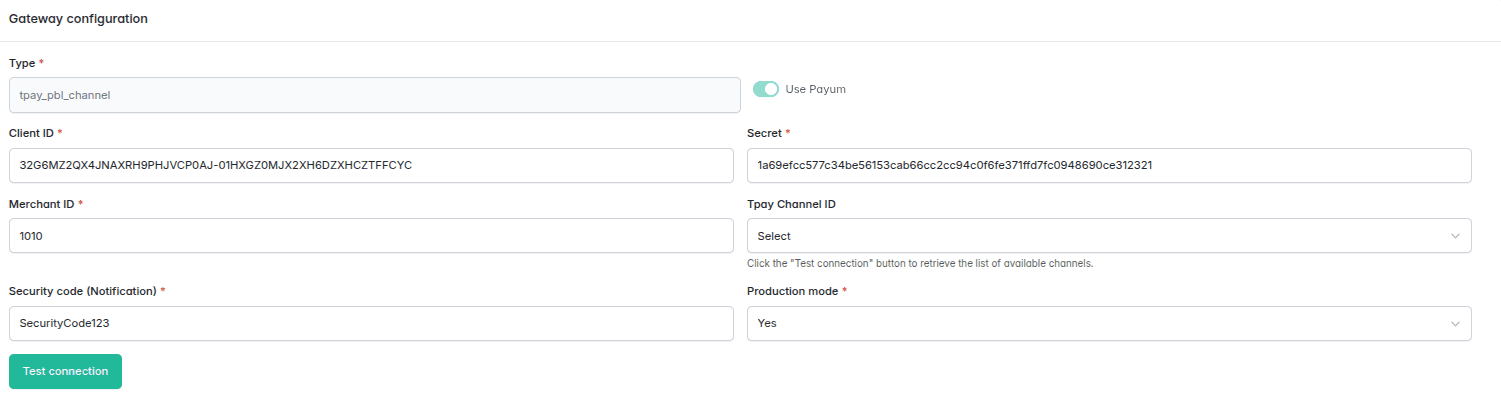
| Configuration field | Field description |
|---|---|
Client ID | Available in the Tpay Merchant Panel under the Integration → API → Keys for new Open API section in the Client ID field. |
Secret | Available in the Tpay Merchant Panel under the Integration → API → Keys for new Open API section in the Secret field. |
Tpay channel ID | After using the Test connection button, a list of all available channels will be returned. Choose one channel. |
Merchant ID | The Merchant's identification number. In other words, the ID number for logging into the Tpay Merchant Panel. |
Security code | Security code, available in the Tpay Merchant Panel under the Settings → Notifications → Security section. |
Production mode | Selection of the environment in which Tpay will operate. For production environment integration, use data from the Merchant Panel. For Sandbox environment integration, use data from the Sandbox account. |
Test connection | Verification of the correctness of the configuration data. |
Google Pay
Implementation of the Google Pay button, enabling transactions directly on the store's page.
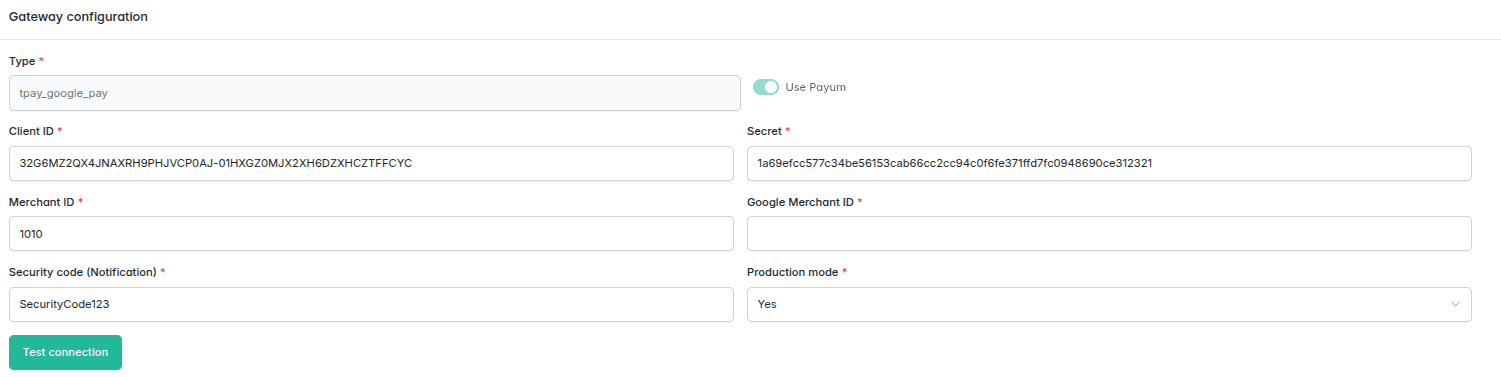
| Configuration field | Field description |
|---|---|
Client ID | Available in the Tpay Merchant Panel under the Integration → API → Keys for new Open API section in the Client ID field. |
Secret | Available in the Tpay Merchant Panel under the Integration → API → Keys for new Open API section in the Secret field. |
Merchant ID | The Merchant's identification number. In other words, the ID number for logging into the Tpay Merchant Panel. |
Security code | Security code, available in the Tpay Merchant Panel under the Settings → Notifications → Security section. |
Google Merchant ID | This is a direct payment integration in your store. For this, you must have production mode enabled in the Google Pay API in the Google Pay Business Console. In the field, you enter the identifier assigned by Google. Detailed information can be found in the Tpay documentation for Google Pay on-site payments. |
Production mode | Selection of the environment in which Tpay will operate. For production environment integration, use data from the Merchant Panel. For Sandbox environment integration, use data from the Sandbox account. |
Test connection | Verification of the correctness of the configuration data. |
Apple Pay
Implementation of the Apple Pay button, enabling transactions directly on the store's page.
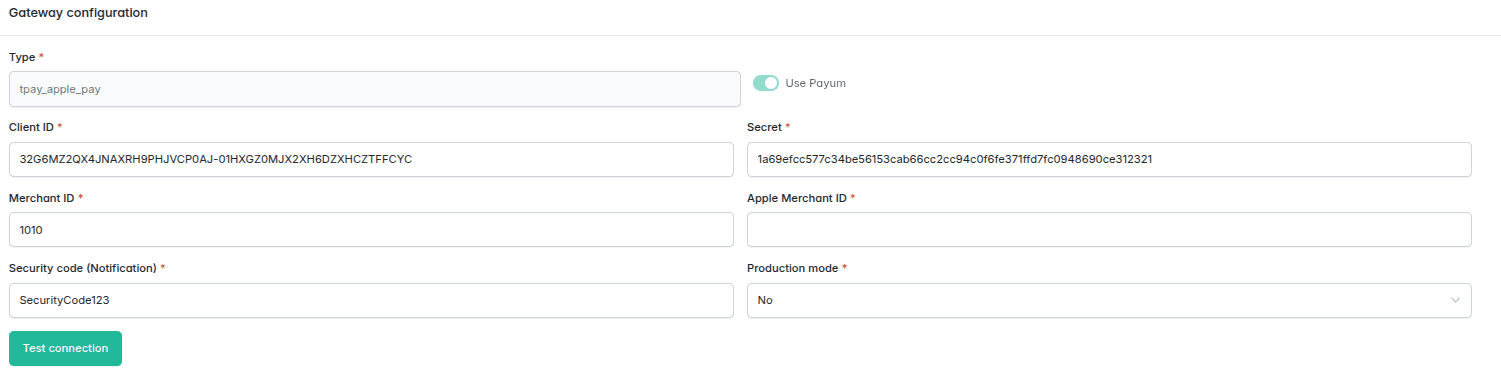
| Configuration field | Field description |
|---|---|
Client ID | Available in the Tpay Merchant Panel under the Integration → API → Keys for new Open API section in the Client ID field. |
Secret | Available in the Tpay Merchant Panel under the Integration → API → Keys for new Open API section in the Secret field. |
Merchant ID | The Merchant's identification number. In other words, the ID number for logging into the Tpay Merchant Panel. |
Security code | Security code, available in the Tpay Merchant Panel under the Settings → Notifications → Security section. |
Apple Pay Merchant ID | This is a direct payment integration in your store. For this, you must have your domain verified by Apple and a developer account created at Apple Developer. In the field, you enter the identifier assigned by Apple. Detailed information can be found in the Tpay documentation for Apple Pay on-site payments. |
Production mode | Selection of the environment in which Tpay will operate. For Sandbox environment integration, use data from the Sandbox account. |
Test connection | Verification of the correctness of the configuration data. |
Visa Mobile
Providing a form on the store's page that allows for Visa Mobile payments by entering a phone number.
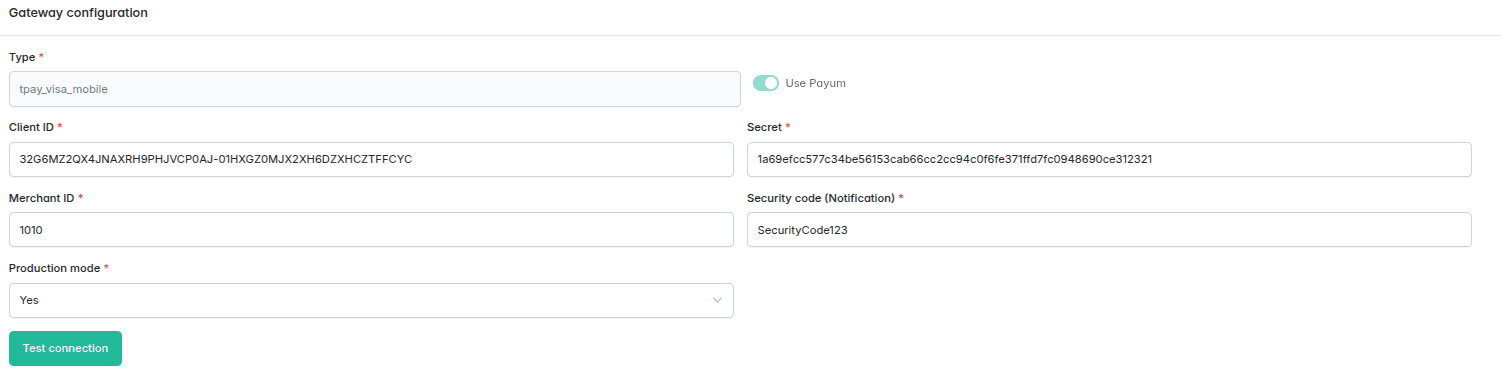
| Configuration field | Field description |
|---|---|
Client ID | Available in the Tpay Merchant Panel under the Integration → API → Keys for new Open API section in the Client ID field. |
Secret | Available in the Tpay Merchant Panel under the Integration → API → Keys for new Open API section in the Secret field. |
Merchant ID | The Merchant's identification number. In other words, the ID number for logging into the Tpay Merchant Panel. |
Security code | Security code, available in the Tpay Merchant Panel under the Settings → Notifications → Security section. |
Production mode | Selection of the environment in which Tpay will operate. For Sandbox environment integration, use data from the Sandbox account. |
Test connection | Verification of the correctness of the configuration data. |